Managing Schedule
Go-through Video
TIP
Watch this video tutorial to understand the process of managing schedules in the ERP system.
Adding a Schedule for a Class
Go to the schedule page at https://erp.bbsbec.edu.in/professor/schedule
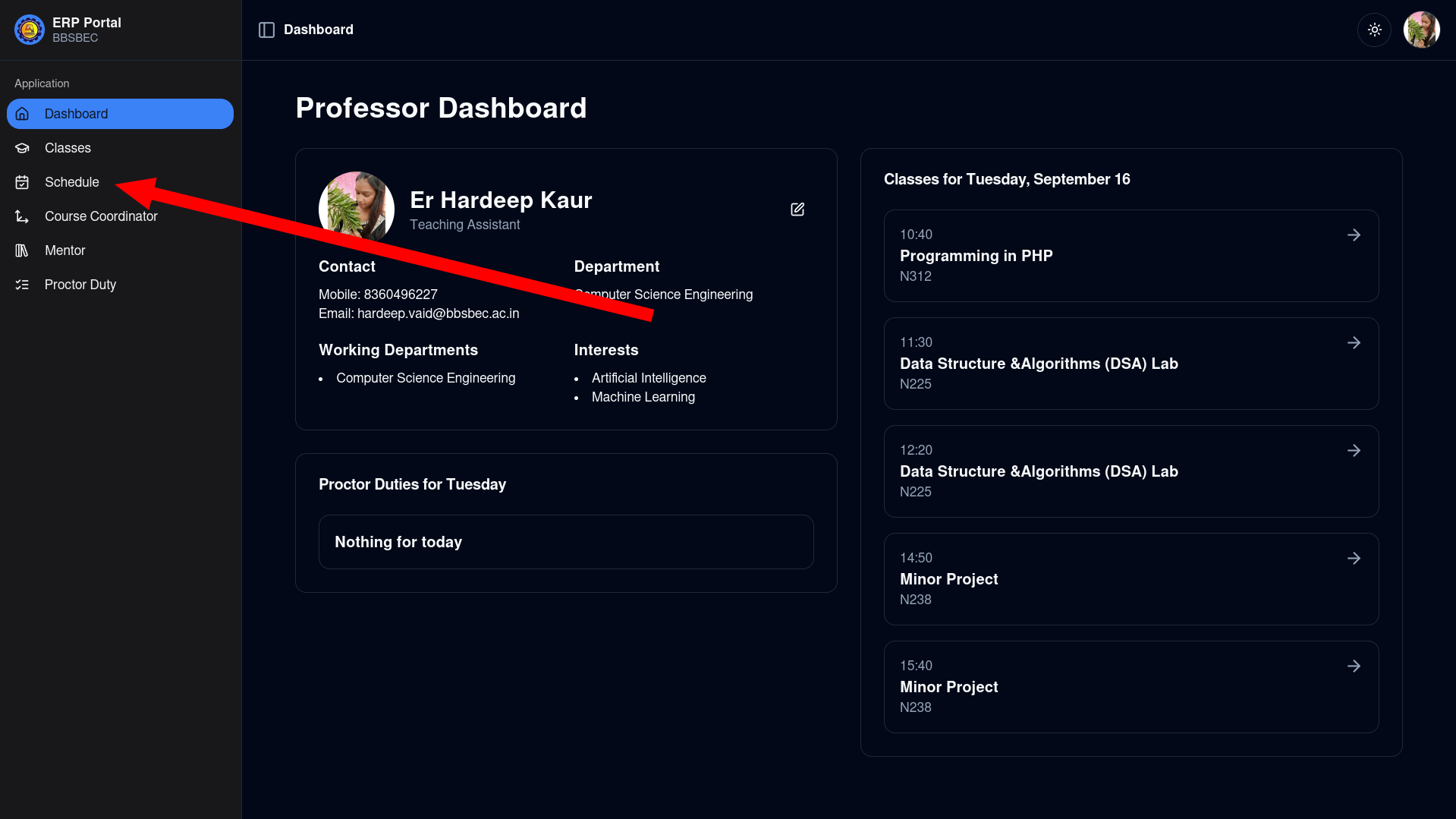
Click on an empty time slot for any day to open the add schedule modal
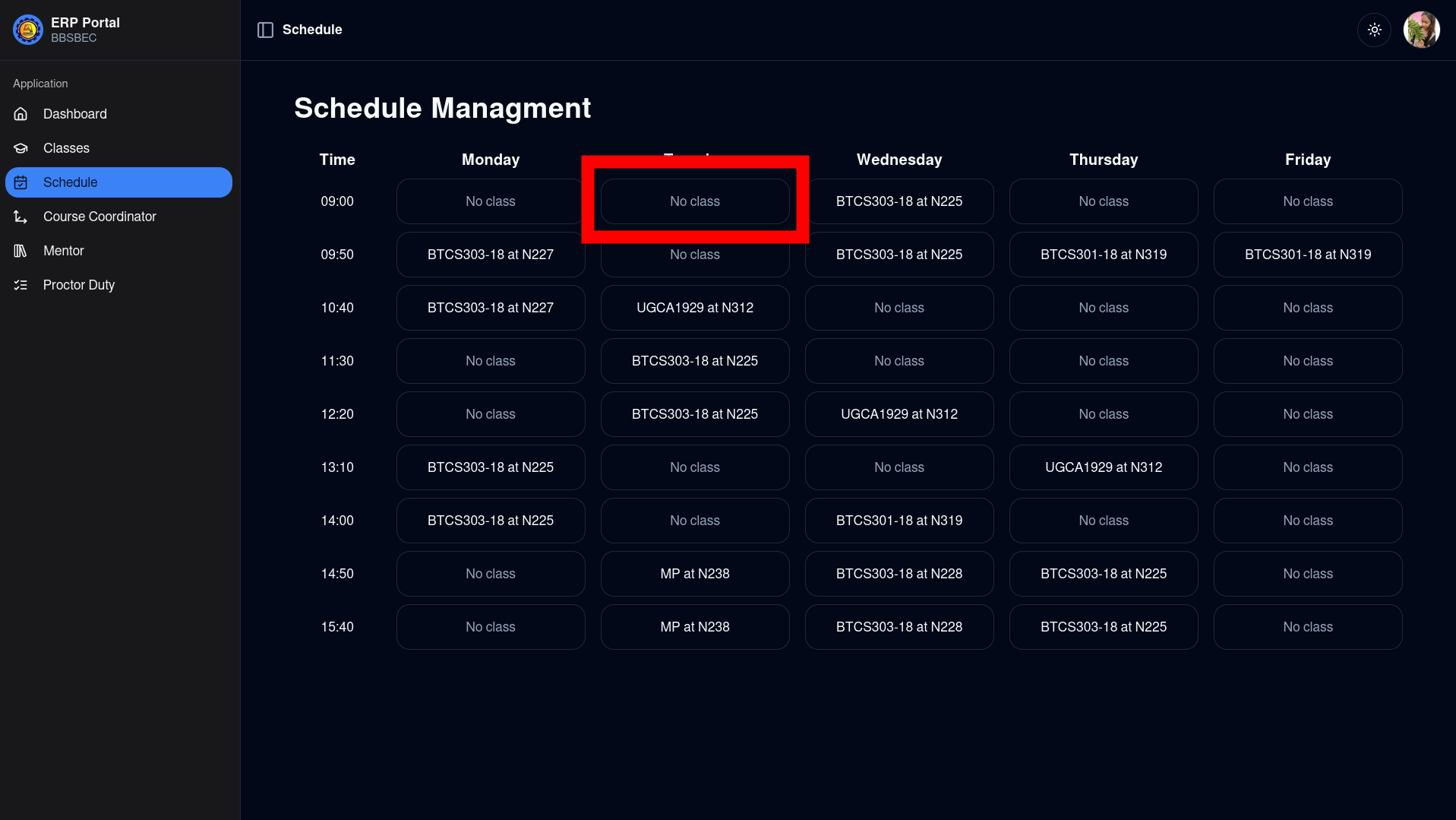
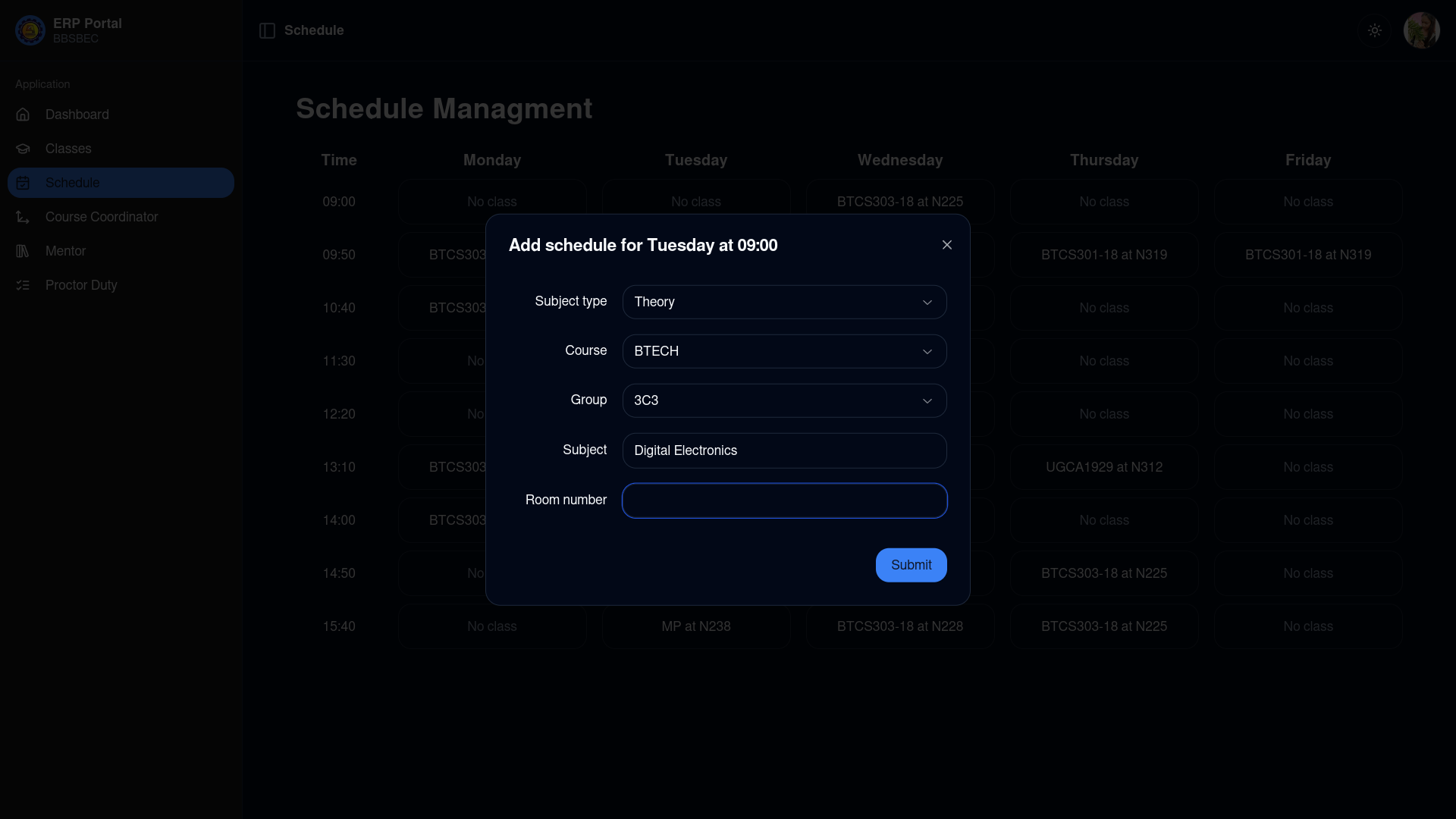
Select the Subject type, Course, Group, Subject, and an optional Room number in the modal
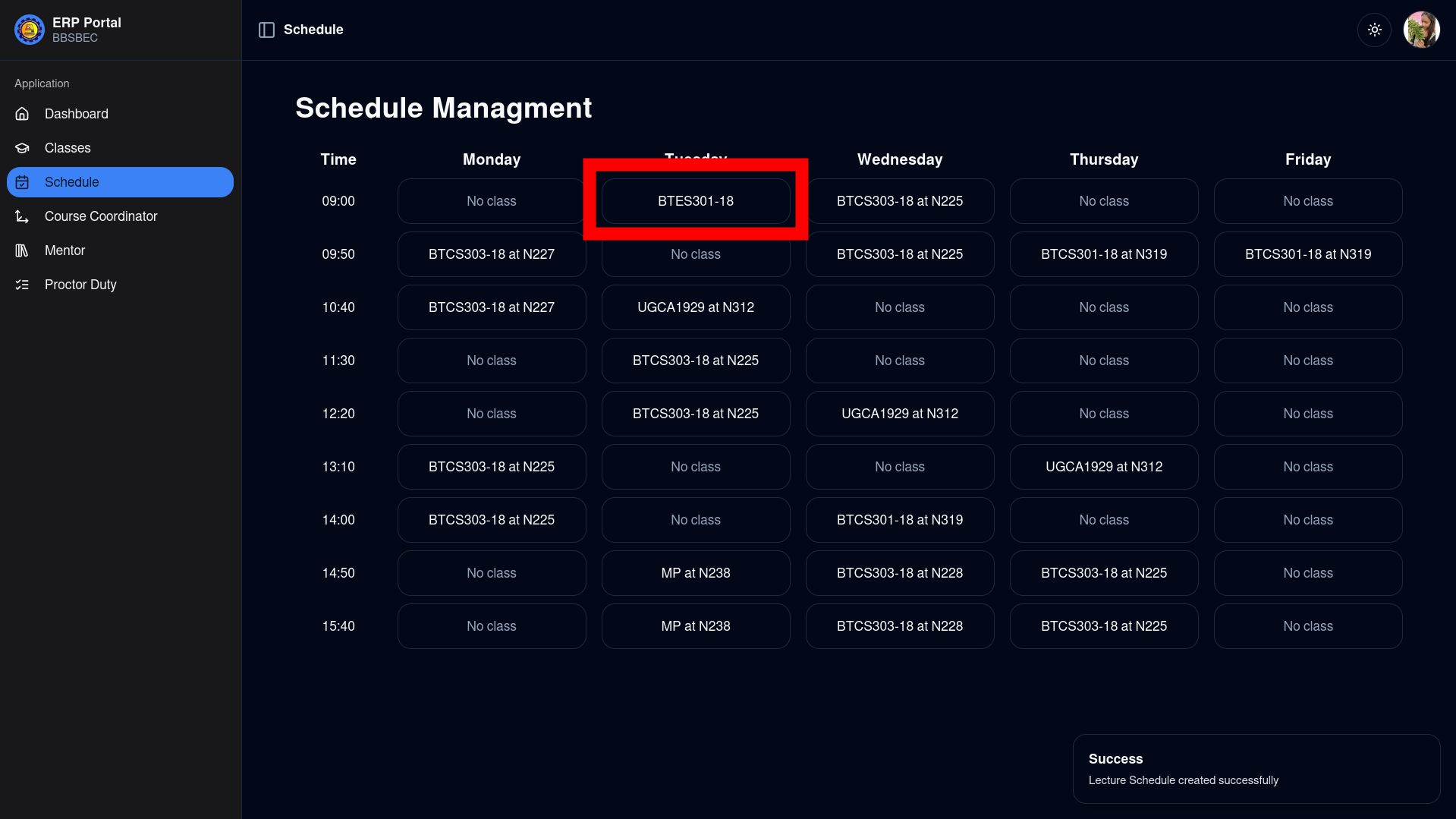
Click on Submit and you'll see the changes reflected on the page
Removing a Schedule
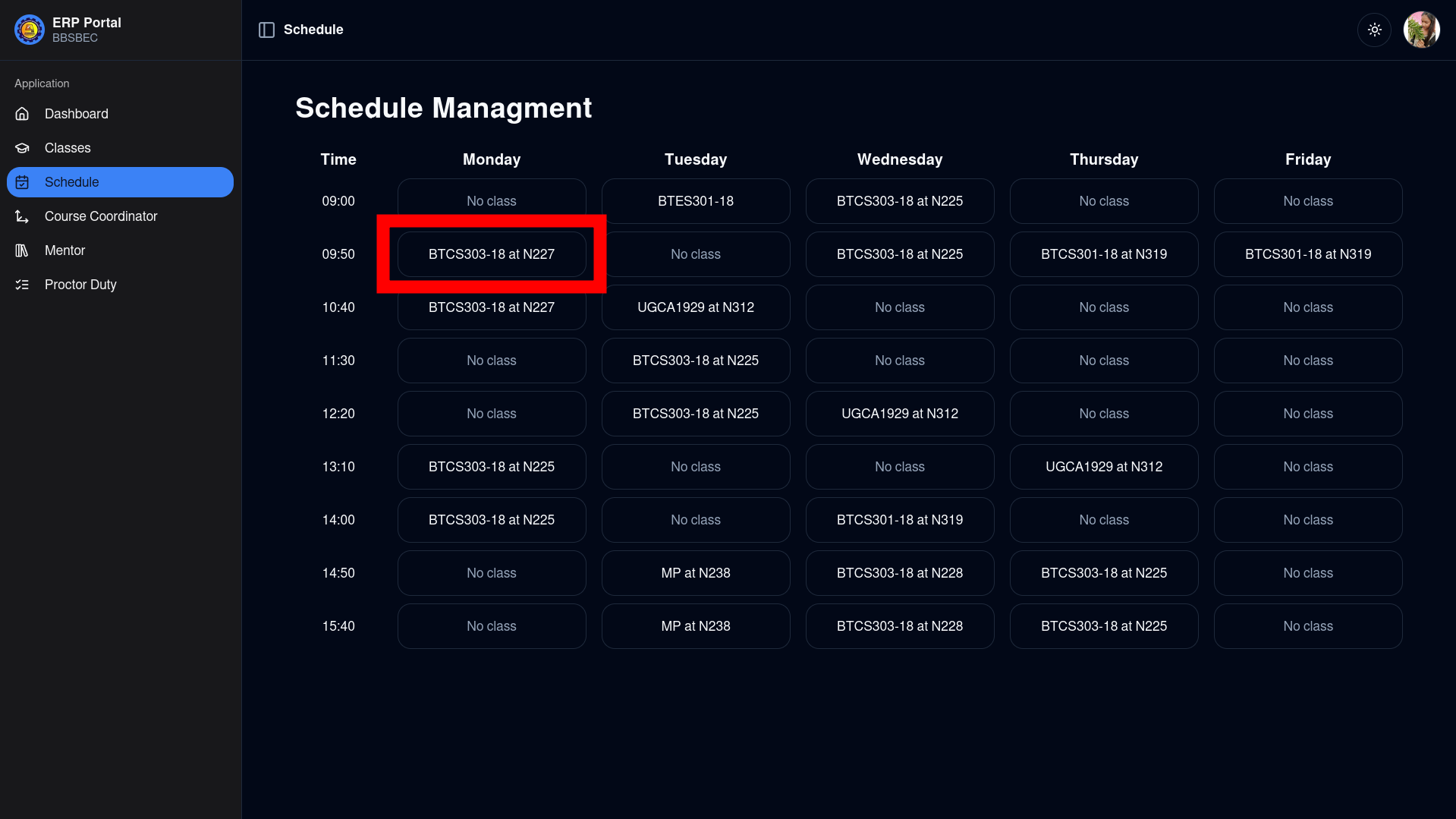
From the same schedule page, click on an already assigned schedule
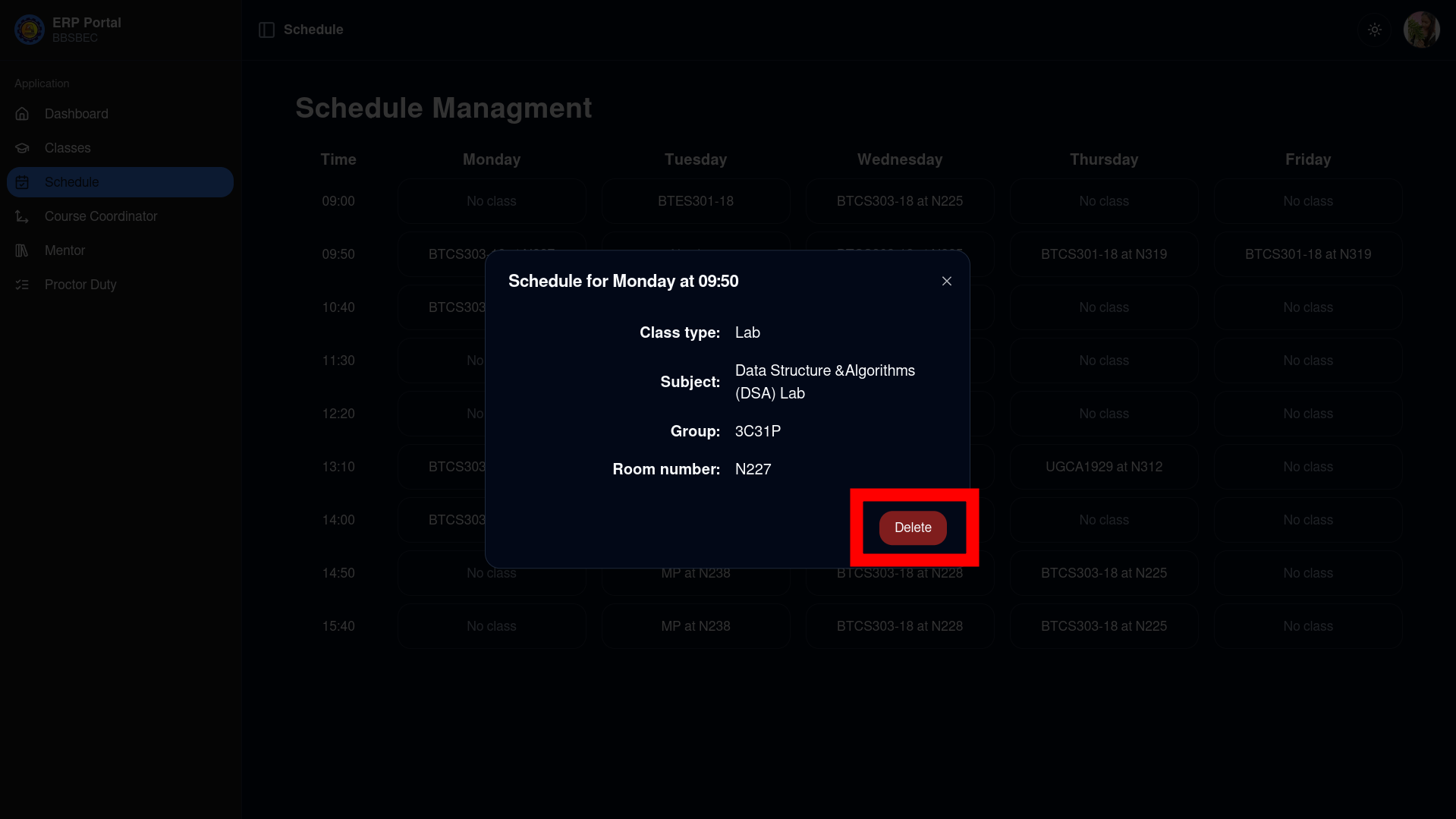
You can now click on Delete to remove that schedule
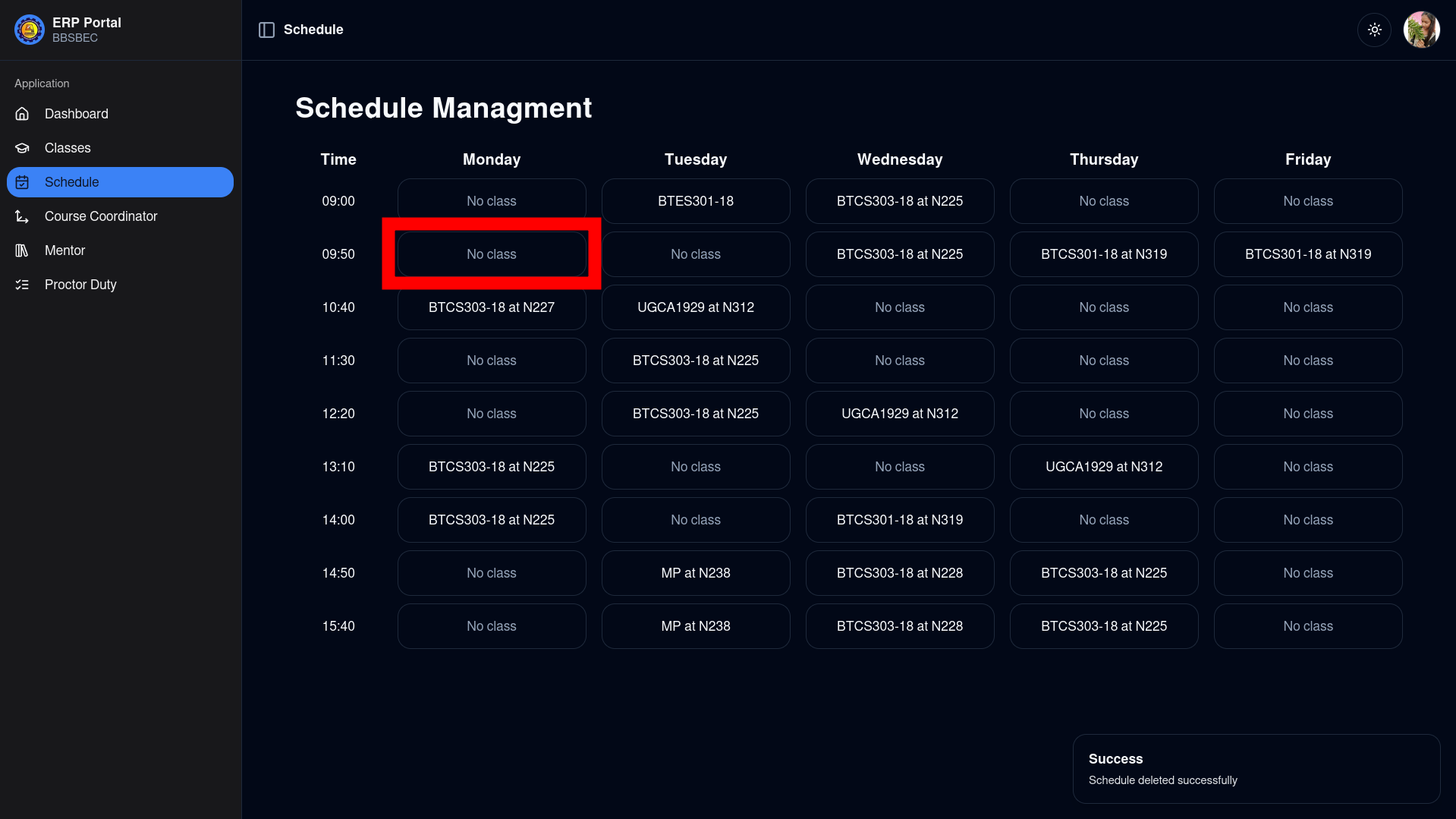
The page will reflect changes once the action has been performed
NOTE
It is currently not possible to update an existing schedule directly.